



Download freeComics Widget – free cartoon dashboard app, Dilbert, Peanuts, comic strips
Overview
If you spend a few minutes each morning scrolling through your inbox, you probably know how much a quick laugh can set the tone for a productive day. freeComics Widget brings that burst of humor straight to your desktop dashboard, offering a rotating gallery of classic and contemporary comic strips. Whether you’re a lifelong fan of Dilbert, adore the timeless charm of Peanuts, or enjoy the mischievous antics of Calvin & Hobbes, this tiny app delivers a curated slice of cartoon history without the need to open a browser.
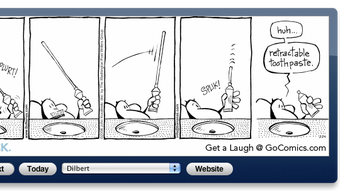
The widget pulls from a library of more than 150 comic creators, allowing you to switch authors via a simple drop‑down menu and browse forward or backward with “Next” and “Previous” buttons. While the interface is intentionally lightweight—there are no intrusive ads or paid upgrades—the experience can feel a bit sluggish when changing strips, as the widget takes a few seconds to fetch the new image. Despite this minor performance quirk, freeComics Widget remains a delightful, no‑cost way to keep your favorite panels visible, turning idle moments into a source of inspiration and chuckles.
The lack of advanced customization (such as sharing options or random selectors) means the tool is best suited for users who simply want a steady stream of high‑quality comics without extra bells and whistles. Overall, freeComics Widget offers a secure, free, and straightforward method to brighten any workstation.
Key Features and What Makes freeComics Widget Stand Out
- Access to over 150 comic creators, including Dilbert, Peanuts, Andy Capp, Calvin & Hobbes, and many more.
- Simple navigation with “Next” and “Previous” buttons for quick browsing.
- Author selection via an intuitive drop‑down menu, eliminating repetitive content.
- Zero‑cost download and usage—completely free with no hidden fees.
- Lightweight widget design that occupies minimal screen real‑estate.
- Automatic daily updates ensuring fresh strips are always available.
- Secure connection to source archives, protecting your system from malicious content.
The strength of freeComics Widget lies in its focus on delivering the core value—comic strips—without the clutter of unnecessary features. By concentrating on a robust library and a clean user interface, the developers have created a tool that feels both nostalgic and modern. The drop‑down author selector is especially useful for users who have multiple favorite strips; you can switch from a workplace satire like Dilbert to a wholesome Sunday classic such as Peanuts in a single click.
The widget’s auto‑update mechanism runs silently in the background, pulling the latest panels from each comic’s official feed, so you never have to manually check for new releases. Moreover, because the app is built on standard web technologies, it maintains a high level of security, avoiding the pitfalls of third‑party adware that often accompany “free” software. While the lack of sharing options may disappoint power users, the uncomplicated design ensures that the widget loads quickly on startup and remains unobtrusive during work sessions.
Installation, First‑Run Setup, and Compatibility Across Platforms
Installing freeComics Widget is a straightforward process designed for both tech‑savvy users and those who prefer a “plug‑and‑play” experience. Begin by downloading the installer from the official website—look for the “Download freeComics Widget” button, which redirects to a secure HTTPS link. The file size is under 5 MB, making the download swift even on slower connections.
Once the installer is saved, double‑click to launch the setup wizard. The wizard guides you through a brief license agreement, a destination folder selection (the default path works for most users), and a final “Install” button. After installation, the widget automatically adds an icon to your system tray (Windows) or menu bar (macOS), and a small window appears on your desktop dashboard.
Upon first launch, the widget prompts you to select a default comic author from the drop‑down list. This choice is saved in a local configuration file, ensuring that your preferred strip appears each time you start your computer. Navigation is intuitive: the “Next” button fetches the subsequent strip, while the “Previous” button loads the one before it. Because the widget retrieves images from external servers, you may notice a brief pause—typically two to three seconds—when moving between strips. This delay is the result of network latency and image caching; the widget does store the most recent strip locally to speed up repeated views.
Compatibility is a crucial factor for any desktop tool. freeComics Widget supports the following operating systems:
- Windows 7, 8, 10, and 11 (64‑bit)
- macOS 10.13 High Sierra and later
- Linux distributions with GTK+ support (Ubuntu, Fedora, Mint)
While the widget does not have native mobile versions for Android or iOS, its web‑based backend means you can access the same comic feeds through a mobile browser if desired. For enterprise environments, the application can be deployed via standard MSI packages (Windows) or PKG installers (macOS), allowing IT administrators to push the widget to multiple workstations with minimal effort. Regular updates are released quarterly, addressing minor bugs and ensuring continued compatibility with the latest OS patches.
Conclusion – Should You Download freeComics Widget?
After evaluating the core strengths and minor shortcomings of freeComics Widget, the verdict is clear: if you value a free, secure, and low‑maintenance way to inject humor into your daily workflow, this widget is a solid choice. Its expansive library, simple navigation, and automatic updates outweigh the occasional lag when cycling through strips. Below is a quick recap of the main advantages and disadvantages.
Pros
- Completely free with no hidden costs or ads.
- Huge selection of over 150 comic authors, covering both classic and modern strips.
- Lightweight design that doesn’t hog system resources.
- Secure HTTPS connections to official comic sources.
- Easy installation and cross‑platform support (Windows, macOS, Linux).
Cons
- Noticeable delay (2‑4 seconds) when loading the next or previous strip.
- No built‑in sharing, email, or “send to a friend” feature.
- Lacks advanced customization such as random strip selection or theme changes.
- Only desktop versions; no dedicated mobile app.
Frequently Asked Questions
Is freeComics Widget really free, or are there hidden charges?
Yes, the widget is completely free. There are no in‑app purchases, subscription fees, or ads. All updates are provided at no cost.
Which operating systems are supported?
freeComics Widget runs on Windows 7 – 11 (64‑bit), macOS 10.13 + and most major Linux distributions with GTK+ support.
Can I share a comic strip directly from the widget?
Sharing is not built into the current version. Users need to right‑click the image and save it, then share manually via email or social media.
Why does the widget sometimes feel slow when changing strips?
The delay is caused by network latency while the widget fetches the latest image from the comic’s server. The app caches the most recent strip to reduce future load times.
Is there a way to set the widget to display a random comic each day?
The current release does not include a randomizer feature. Users can manually select a different author each day to achieve a similar effect.
In summary, freeComics Widget delivers exactly what its name promises: a free, easy‑to‑install dashboard companion that serves up high‑quality cartoon strips on demand. If you’re looking for a lightweight, secure tool that adds a splash of humor to your desktop without demanding a subscription, click the download button below and give the widget a try. Your morning coffee will taste even better with a fresh Dilbert or Peanuts panel waiting for you!







